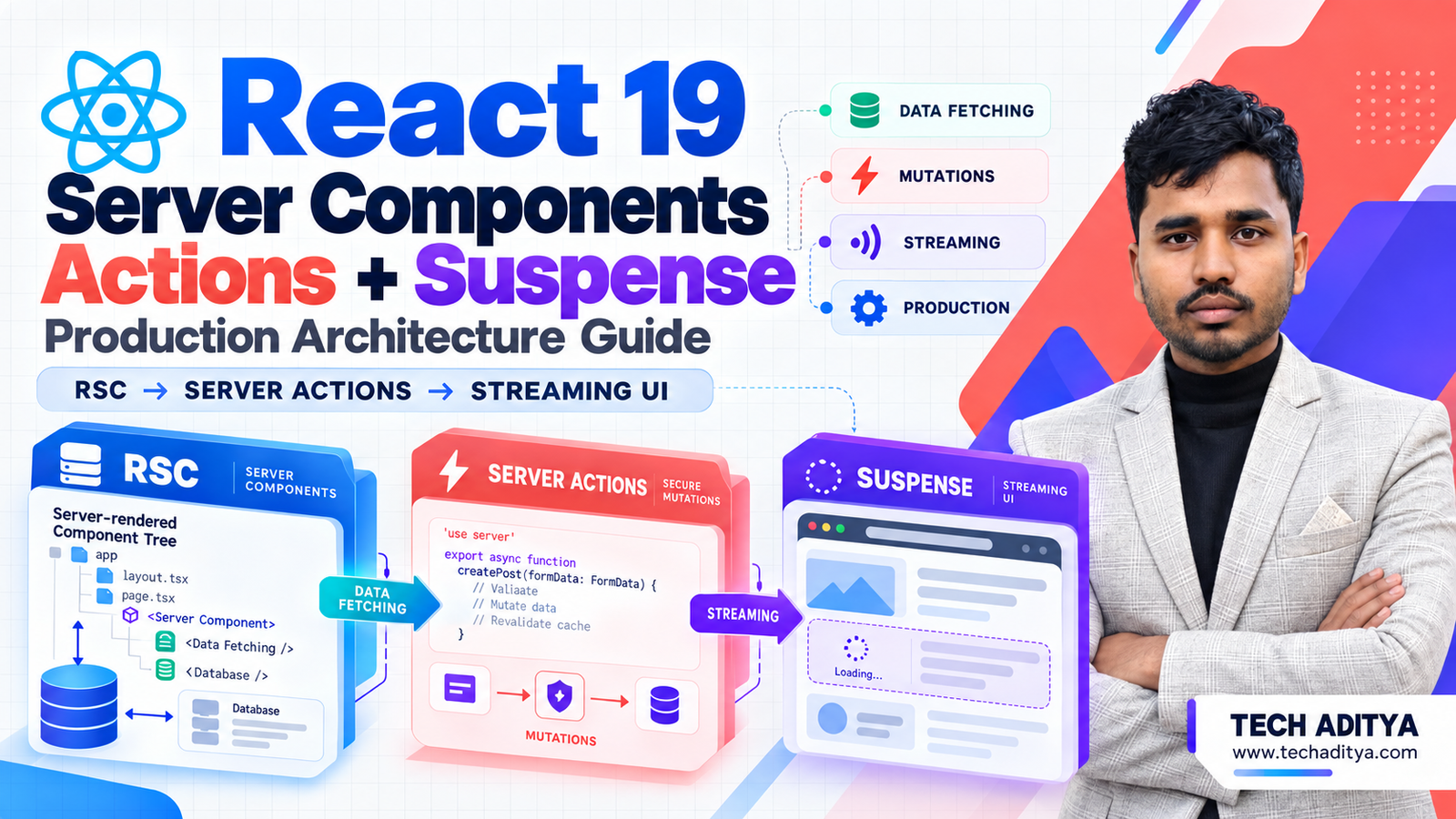
Introduction to React 19 Architecture
The release of React 19 marks a paradigm shift in how modern web applications are architected, bundled, and delivered. Moving far beyond traditional single-page application (SPA) client-side rendering, React 19 introduces native, production-ready primitives: React Server Components (RSC), Server Actions, and deep Suspense integration.
At Tech Aditya, our engineering teams build high-performance web solutions. Transitioning to React 19 requires a disciplined architectural strategy to separate server-side data mutations from client-side interactivity. In this technical guide, we will analyze the precise component boundary patterns, data flow mechanisms, and performance metrics required to run React 19 in high-traffic production environments.
Core Architectural Paradigms: Server vs. Client Components
In a React 19 architecture, components are divided into two distinct mental models: Server Components and Client Components. Understanding this boundary is crucial for maintaining minimal JavaScript bundle sizes and secure data fetching patterns.
Server Components execute exclusively on the server. They have direct access to backend data sources, file systems, and internal microservices. Because their output is streamed to the client as rendered HTML and serialized UI trees, zero JavaScript for these components is shipped to the browser.
Defining Server and Client Boundaries
To enforce security and separation, React 19 uses module-level directives. By default, all components inside an app directory structure are Server Components. To opt into client-side interactivity, you must explicitly declare the top of the file with the "use client" directive.
// app/components/ProductCatalog.jsx
// This is a Server Component by default
import db from '@/lib/db';
import ProductCard from './ProductCard';
import AddToCartButton from './AddToCartButton'; // Client Component

export default async function ProductCatalog({ category }) {
  const products = await db.products.findMany({ where: { category } });

  return (
    <div className="grid grid-cols-3 gap-4">
      {products.map((product) => (
        <div key={product.id} className="border p-4 rounded">
          <ProductCard product={product} />
          <AddToCartButton productId={product.id} />
        </div>
      ))}
    </div>
  );
}
Pro-Tip: Never import a Server Component directly inside a Client Component. Instead, pass Server Components as children props to Client Components, maintaining the server boundary without breaking client hydration.
Data Mutation with React 19 Server Actions
React 19 formalizes Server Actions, eliminating the boilerplate of manually setting up API endpoints, handling fetch states, and writing redundant validation loops. Server Actions are asynchronous functions defined on the server that can be invoked from both server and client components.
Implementing Secure Server Actions
Below is a production-grade implementation of a Server Action handling user profile updates with built-in validation, error handling, and cache revalidation.
// app/actions/user.js
"use server";

import { revalidatePath } from 'next/cache';
import { z } from 'zod';
import db from '@/lib/db';

const profileSchema = z.object({
  name: z.string().min(2, "Name must be at least 2 characters"),
  email: z.string().email("Invalid email address"),
});

export async function updateUserProfile(prevState, formData) {
  const parsed = profileSchema.safeParse({
    name: formData.get('name'),
    email: formData.get('email'),
  });

  if (!parsed.success) {
    return {
      success: false,
      errors: parsed.error.flatten().fieldErrors,
    };
  }

  try {
    await db.user.update({
      where: { id: formData.get('userId') },
      data: {
        name: parsed.data.name,
        email: parsed.data.email,
      },
    });

    revalidatePath('/dashboard/profile');
    return { success: true, message: 'Profile updated successfully!' };
  } catch (error) {
    return { success: false, message: 'Database transaction failed.' };
  }
}
Consuming Server Actions in Client Forms
To leverage React 19's new form hooks like useActionState, we connect our Server Action to a client-side form component:
// app/components/ProfileForm.jsx
"use client";

import { useActionState } from 'react';
import { updateUserProfile } from '@/app/actions/user';

const initialState = { success: false, errors: {}, message: '' };

export default function ProfileForm({ user }) {
  const [state, formAction, isPending] = useActionState(updateUserProfile, initialState);

  return (
    <form action={formAction} className="space-y-4">
      <input type="hidden" name="userId" value={user.id} />
      <div>
        <label>Name</label>
        <input name="name" defaultValue={user.name} className="border p-2 w-full" />
        {state.errors?.name && <p className="text-red-500">{state.errors.name}</p>}
      </div>
      <div>
        <label>Email</label>
        <input name="email" defaultValue={user.email} className="border p-2 w-full" />
        {state.errors?.email && <p className="text-red-500">{state.errors.email}</p>}
      </div>
      <button type="submit" disabled={isPending} className="bg-blue-600 text-white p-2 rounded">
        {isPending ? 'Saving...' : 'Save Changes'}
      </button>
      {state.message && <p className={state.success ? "text-green-600" : "text-red-600"}>{state.message}</p>}
    </form>
  );
}
Streaming and Suspense Architecture
Traditional rendering blocks the entire HTML response until all data is fetched. React 19 Server Components combine with Suspense to allow granular streaming. Slow database queries or external API calls do not delay the initial shell delivery.
Granular Suspense Boundary Implementation
By wrapping async Server Components inside <Suspense>, developers can define immediate fallback UI while streaming the heavy component payload asynchronously.
// app/dashboard/page.jsx
import { Suspense } from 'react';
import AnalyticsOverview from '@/components/AnalyticsOverview';
import RecentTransactions from '@/components/RecentTransactions';
import SkeletonLoader from '@/components/SkeletonLoader';

export default function DashboardPage() {
  return (
    <div className="p-6 space-y-6">
      <h1 className="text-2xl font-bold">Executive Dashboard</h1>

      <Suspense fallback={<SkeletonLoader height="200px" />}>
        <AnalyticsOverview />
      </Suspense>

      <Suspense fallback={<SkeletonLoader height="400px" />}>
        <RecentTransactions />
      </Suspense>
    </div>
  );
}
Architectural Comparison: Traditional SPAs vs. React 19 RSC Architecture
When engineering high-scale enterprise applications, architectural trade-offs dictate long-term maintainability, SEO score, and client performance.
| Metric / Feature | Traditional SPA (CSR) | React 19 RSC Architecture |
|---|---|---|
| Initial JavaScript Bundle | Heavy (Includes all data-fetching libraries & UI components) | Minimal (Server code remains on the server) |
| SEO & Crawler Indexing | Requires complex Client-Side Hydration & SSR workarounds | Native Server HTML Streaming with zero configuration |
| Database Query Security | Requires dedicated REST/GraphQL API layers | Direct database access inside Server Components safely |
| Data Mutation Complexity | Manual state management, loading flags, and cache sync | Integrated Server Actions with useActionState |
Production Performance Optimization & Best Practices
Deploying React 19 Server Components to production requires careful monitoring of network boundaries and payload serialization.
- Serialize Props Carefully: Ensure objects passed from Server Components to Client Components are serializable. Avoid passing complex class instances, database connection objects, or functions.
- Minimize Client Boundaries: Push the
"use client"boundary as deep down the component tree as possible. The closer the boundary is to the interactive leaf node, the smaller your client bundle size remains. - Leverage Edge Caching: Pair React 19 streaming with edge CDN caching layers to cache static shell components while dynamically streaming personalized user blocks.
For custom web application development tailored to high-growth enterprises, explore our Full-Stack Web Development and Website Speed & Core Web Vitals optimization services.
Conclusion
React 19 Server Components, Server Actions, and Suspense represent a mature, highly optimized architectural model for modern web engineering. By keeping heavy computation and secure database queries on the server while streaming intelligent UI chunks to the browser, development teams can achieve exceptional Core Web Vitals scores and maintain clean, scalable codebases.
If you are planning a high-performance web migration or need expert architecture consultation, Contact & Consultation with our engineering leads at Tech Aditya today.
