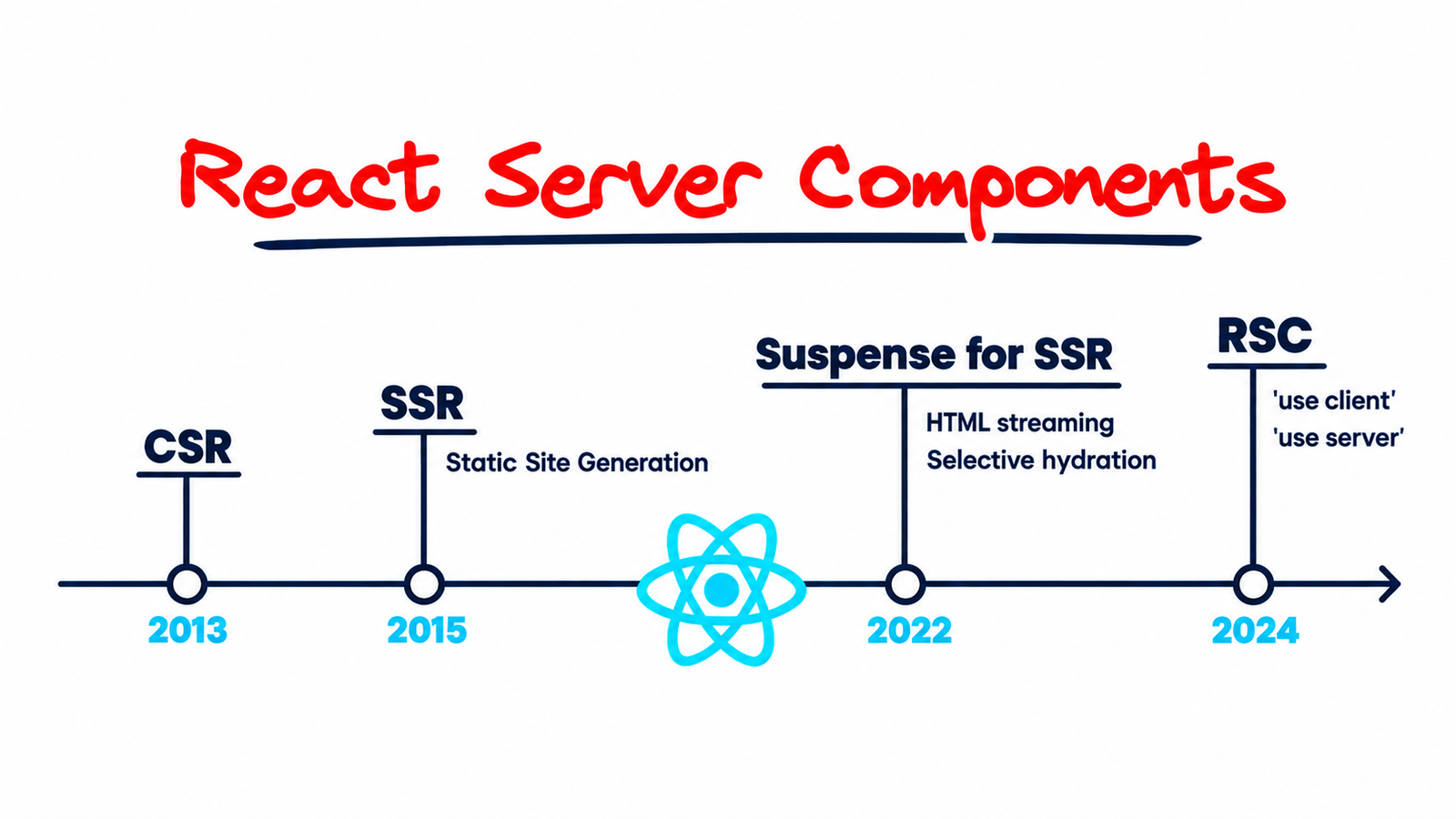
The Paradigm Shift: From Client Single Page Apps to Server-Driven Architecture
For nearly a decade, client-side rendering (CSR) with libraries like React reshaped frontend development. Developers shipped large JavaScript bundles to the browser, relying on client-side fetching hooks like useEffect to retrieve data post-render. While this approach enabled rich, desktop-like interactivity, it introduced severe performance trade-offs: massive client bundle sizes, render waterfalls, high Interaction to Next Paint (INP) latency, and initial load delays on lower-end devices.
Traditional Server-Side Rendering (SSR) improved initial display times by pre-rendering HTML on the server. However, SSR required re-hydrating the entire component tree on the client, forcing browsers to download and execute JavaScript for elements that required zero interactivity. When building applications using custom full-stack web development architectures, engineering teams often found themselves trading off developer experience against runtime performance.
React Server Components (RSC) bridge this gap by introducing a dual-execution model. RSC allows components to render exclusively on the server, streaming a lightweight serialized data format directly to the browser without sending any underlying component JavaScript. In this guide, we will analyze the core architectural patterns of React Server Components, explore data fetching strategies, and review performance benchmarks to help you build resilient frontend architectures.
Understanding the Mental Model: Server vs. Client Components
The key to mastering React Server Components is understanding the module boundary between Server Components and Client Components. Rather than treating an entire application as client-side code that occasionally fetches data, RSC defaults every component in the directory hierarchy to a Server Component.
Server Components: Zero-Bundle Compute
Server Components execute exclusively during build time or request time on the server environment (Node.js, Edge Runtimes, or serverless workers). Because their code never reaches the client browser, you can safely access file systems, query databases directly using ORMs like Prisma or Drizzle, and import heavy npm dependencies without adding a single byte to the client bundle.
- Zero Impact on JS Bundle Size: Dependencies used inside Server Components remain on the server.
- Direct Backend Access: Access databases, microservices, and file systems natively inside the component execution loop.
- Enhanced Security: API keys, database credentials, and proprietary server logic remain hidden from the browser network tab.
Client Components: Granular Interactivity
Client Components represent traditional React components. Designated using the explicit 'use client' directive at the top of the file, these components are pre-rendered on the server and hydrated on the client. They possess access to browser APIs, event listeners (onClick, onChange), state hooks (useState, useReducer), and lifecycle hooks (useEffect).
To optimize application architecture, Client Components should be pushed to the leaves of your component tree. By isolating interactive controls—such as buttons, forms, and live filters—within client boundaries, you minimize the amount of hydrated JavaScript shipped to the end user.
Architectural Pattern: Eliminating Waterfall Fetches and Nesting Components
In traditional React single-page applications, nested components fetching data inside useEffect hooks cause sequence waterfalls. Component A fetches data, renders Component B, which then fetches its data, causing cascading network requests and layout shifts.
With React Server Components, data fetching occurs directly inside asynchronous component functions on the server, running close to your data layer or cache infrastructure. When multiple server components require data, you can trigger parallel promises using standard JavaScript constructs.
Code Implementation: Direct Database Fetching and Suspense Boundaries
Here is an architectural pattern demonstrating how to structure a high-performance dashboard layout using Server Components, direct database queries, and Granular Suspense boundaries:
// app/dashboard/page.tsx - Server Component by default
import { Suspense } from 'react';
import { db } from '@/lib/db';
import AnalyticsChart from '@/components/AnalyticsChart'; // Client Component
import UserProfileCard from '@/components/UserProfileCard'; // Server Component
import MetricsSkeleton from '@/components/MetricsSkeleton';

async function RevenueMetrics() {
  // Direct server-side database query
  const metrics = await db.analytics.aggregate({
    _sum: { revenue: true, orders: true },
    where: { timestamp: { gte: new Date(Date.now() - 86400000) } }
  });

  return (
    <div className="metrics-grid">
      <div className="metric-card">
        <h4>Daily Revenue</h4>
        <p>${metrics._sum.revenue?.toLocaleString() || 0}</p>
      </div>
      <div className="metric-card">
        <h4>Total Orders</h4>
        <p>{metrics._sum.orders || 0}</p>
      </div>
    </div>
  );
}

export default async function DashboardPage() {
  return (
    <main className="dashboard-container">
      <h1>Executive Dashboard</h1>

      {/* Stream revenue metrics using Suspense */}
      <Suspense fallback={<MetricsSkeleton />}>
        <RevenueMetrics />
      </Suspense>

      {/* Interactive client component taking minimal serialized props */}
      <section className="chart-section">
        <AnalyticsChart />
      </section>
    </main>
  );
}
In this pattern, RevenueMetrics executes directly on the server without exposing database structures to the browser. The HTML structure is streamed progressively, ensuring that users see initial UI elements instantly while slower backend queries complete in parallel.
Streaming HTML and Selective Hydration
One of the most revolutionary architectural benefits of React Server Components is integrated HTTP streaming via React 18+ Suspense. Traditional SSR sends a monolithic HTML response once all server-side data fetching is complete. If a single slow API query takes 1500ms, the entire page response is blocked.
With RSC and HTTP streaming (such as in Next.js App Router), the server immediately outputs the outer layout shell and static HTML as an initial response stream. As asynchronous Server Components resolve their data on the server, React injects the rendering instructions and HTML fragments directly into the ongoing stream. The browser updates DOM elements inline without requiring full page reloads or client-side rerenders.
How Streaming Optimizes Core Web Vitals:
- Time to First Byte (TTFB): Drastically reduced because static outer layouts flush instantly from Edge servers.
- First Contentful Paint (FCP): Fires rapidly as critical UI elements render without waiting for complex database aggregations.
- Largest Contentful Paint (LCP): Significantly improved by prioritizing main content streaming over secondary widgets.
Similar performance optimizations are leveraged when combining high-throughput backends like Laravel Octane with FrankenPHP alongside modern frontend frameworks to deliver sub-100ms response times globally.
Composition Patterns: Passing Client Components as Children
A frequent architectural anti-pattern developers encounter when adopting RSC is placing the 'use client' directive high up in the component tree. Placing 'use client' at the layout or root level unintentionally converts all nested child components into Client Components, forfeiting bundle size and server-execution benefits.
To preserve server execution while wrapping layouts in client-side context providers or state wrappers, utilize the Children Component Injection Pattern:
// components/ThemeWrapper.tsx - Client Component
'use client';

import { useState } from 'react';

export default function ThemeWrapper({ children }: { children: React.ReactNode }) {
  const [theme, setTheme] = useState('dark');

  return (
    <div className={`theme-${theme}`}>
      <button => setTheme(theme === 'dark' ? 'light' : 'dark')}>
        Toggle Theme
      </button>
      {/* Children remain Server Components if rendered on server */}
      {children}
    </div>
  );
}// app/layout.tsx - Server Component
import ThemeWrapper from '@/components/ThemeWrapper';
import HeavyServerSidebar from '@/components/HeavyServerSidebar';
export default function RootLayout({ children }: { children: React.ReactNode }) {
return (
<html lang="en">
<body>
<ThemeWrapper>
<HeavyServerSidebar />
{children}
</ThemeWrapper>
</body>
</html>
);
}By passing HeavyServerSidebar as a child slot to ThemeWrapper, HeavyServerSidebar continues to execute exclusively on the server, preventing its code dependencies from polluting the JavaScript bundle shipped to the client.
Performance Benchmarks: RSC vs Traditional CSR/SSR
In high-scale production applications, component architecture directly impacts network payload, CPU execution time, and device memory overhead. The following performance metrics demonstrate typical improvements observed when migrating a content-heavy web application with interactive widgets from traditional Client-Side Rendering to React Server Components:
- Client Bundle Size: Reduced by up to 50% - 70% by eliminating libraries like markdown parsers, heavy date libraries (e.g., Moment.js), and client fetching utilities from the bundle.
- First Contentful Paint (FCP): Improved from ~1.8s down to ~0.4s on average standard mobile networks due to instant streaming of initial HTML.
- Interaction to Next Paint (INP): Reduced memory footprint on the client thread ensures main-thread responsiveness, dropping INP from 180ms to under 40ms during heavy user inputs.
Common Pitfalls and Best Practices for Engineering Teams
1. Non-Serializable Props Leakage
When passing data from a Server Component to a Client Component across the boundary, props must be JSON serializable. Functions, class instances, or complex symbols cannot be passed directly across the RSC boundary. Prepare plain JavaScript objects or primitives before passing them to client props.
2. State Management Shift
Global client-side stores (like Redux or Zustand) should be limited strictly to UI state (e.g., modal visibility, active tab index, drawer toggles). Server state, data caching, and revalidation should be managed using native framework fetch mechanisms, tags, or cache revalidation functions rather than duplicating data inside client stores.
3. Security and Environment Variables
Never import client components into server utility modules that handle secret environment variables. Use packages like server-only to throw compile-time build errors if a server module is accidentally imported into a client file:
import 'server-only';

export async function fetchPrivateUserData(userId: string) {
  // Safe server execution
  const res = await fetch(`https://api.internal/users/${userId}`, {
    headers: { Authorization: `Bearer ${process.env.INTERNAL_API_SECRET}` }
  });
  return res.json();
}
Conclusion: Building Next-Generation Web Applications
React Server Components represent a foundational step forward in frontend web engineering. By decoupling render location from UI component structure, developers can build rich, feature-packed user experiences without burdening end-user devices with unnecessary JavaScript packages.
Transitioning legacy codebases or designing new web applications around Server Component architecture requires thoughtful component boundary planning, modular data fetching, and granular Suspense streaming strategies. If you are looking to architect resilient, ultra-fast web platforms or upgrade your existing React infrastructure, get in touch with our team at Tech Aditya Consultation to collaborate with experienced web engineers.
