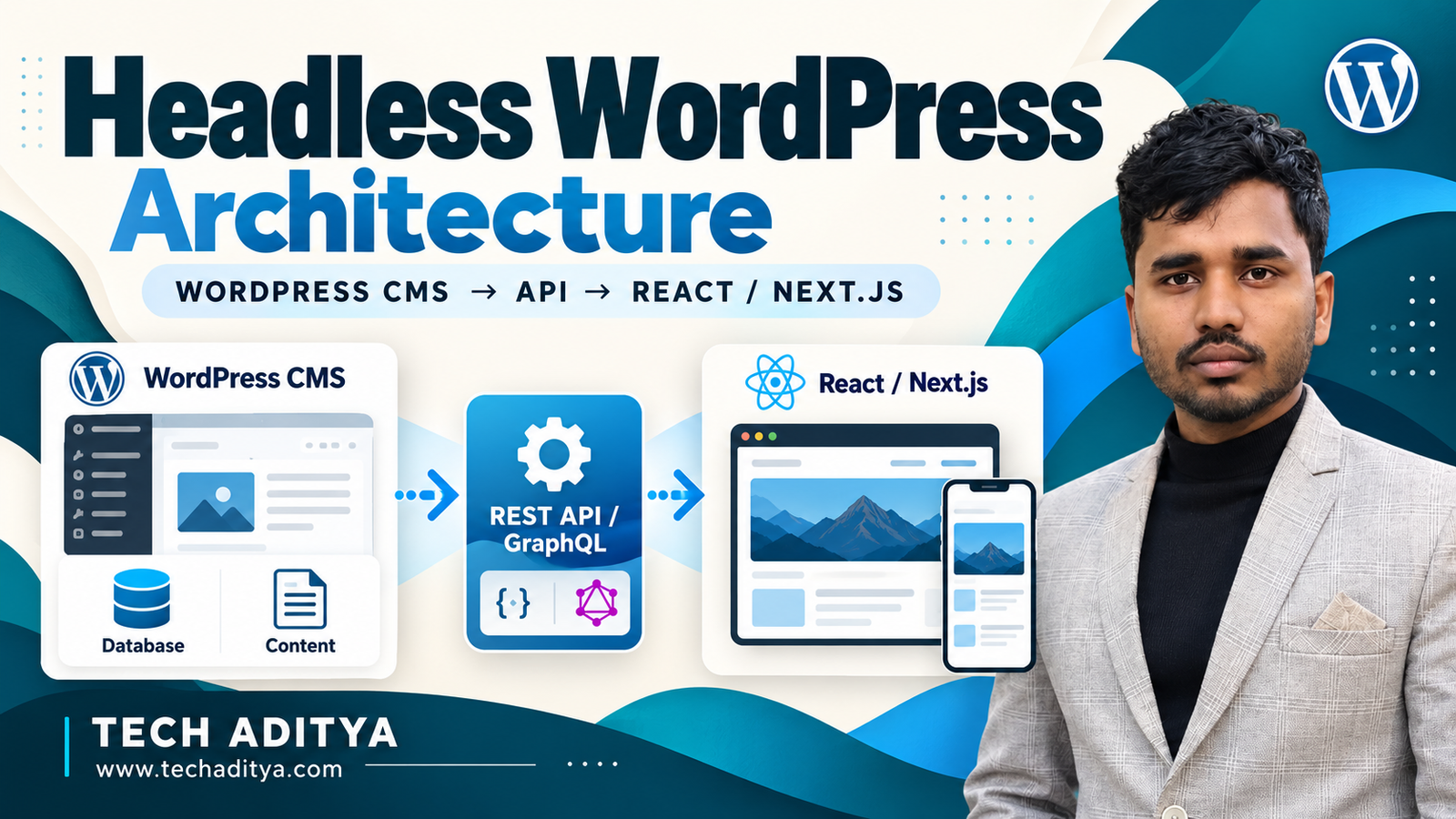
Introduction to Headless WordPress Architecture
Traditional WordPress architectures couple the presentation layer (PHP templates, themes, CSS) with the administrative database and storage layer. While this makes publishing straightforward, it introduces severe performance bottlenecks at scale. Heavy database queries, unoptimized plugin hooks, and PHP execution overhead frequently inflate Time to First Byte (TTFB) beyond acceptable thresholds.
At Tech Aditya, we engineer high-performance web applications by decoupling the stack. By combining WordPress as a secure, headless content repository with Next.js on the frontend and WPGraphQL for data retrieval, developers can achieve sub-second page loads, pristine Core Web Vitals, and enterprise-grade scalability.
Traditional Monolithic vs. Headless Architecture
To understand the performance advantages, let us compare the execution flow and architectural metrics of both approaches.
| Architectural Metric | Monolithic WordPress | Headless WordPress (Next.js + GraphQL) |
|---|---|---|
| Average TTFB | 400ms - 1200ms | 50ms - 150ms (Edge CDN Cached) |
| Frontend Rendering | Server-Side PHP Execution | Static Site Generation (SSG) / ISR / React |
| Data Fetching | Direct MySQL Queries per Request | Optimized GraphQL Queries over HTTPS |
| Security Attack Surface | High (Vulnerable plugins directly expose DB) | Low (Frontend is decoupled and static; CMS is hidden) |
Step 1: Configuring the WordPress Backend & WPGraphQL
The first step is preparing your WordPress instance to act strictly as a JSON/GraphQL API endpoint. Install and activate the WPGraphQL plugin along with WPGraphQL for Advanced Custom Fields (ACF) if your editorial workflow relies heavily on custom field layouts.
To optimize GraphQL payload sizes and secure your endpoint against abuse, enforce query depth limits and register necessary custom post types. Add the following PHP snippet to your theme's functions.php or a custom mu-plugin:
<?php
/**
 * Plugin Name: Tech Aditya Headless Security & Optimization
 * Description: Secures WPGraphQL endpoint and optimizes post type exposure.
 */

// Disable default XML-RPC to minimize attack vectors
add_filter('xmlrpc_enabled', '__return_false');

// Restrict max query depth for WPGraphQL security
add_filter( 'graphql_query_max_depth', function( $depth ) {
    return 10;
});

// Ensure custom post types are exposed to GraphQL
add_action( 'init', function() {
    register_post_type( 'case_study', [
        'public' => true,
        'show_in_graphql' => true,
        'graphql_single_name' => 'caseStudy',
        'graphql_plural_name' => 'caseStudies',
        'supports' => ['title', 'editor', 'thumbnail', 'custom-fields'],
    ]);
});
Step 2: Setting Up the Next.js 14 App Router Project
Initialize a high-performance Next.js project utilizing the modern App Router. Open your terminal and execute the following commands:
npx create-next-app@latest tech-aditya-headless --typescript --tailwind --app
cd tech-aditya-headless
npm install graphql-request
Configure your environment variables in a .env.local file to point securely to your WordPress backend:
NEXT_PUBLIC_WORDPRESS_API_URL=https://cms.techaditya.com/graphql
WORDPRESS_PREVIEW_SECRET=your_secure_random_secret_string
Step 3: Creating the GraphQL Fetch Utility
Create a robust data fetching utility using graphql-request to handle queries sent to your WordPress backend with proper error handling and revalidation settings.
// lib/wordpress.ts
const API_URL = process.env.NEXT_PUBLIC_WORDPRESS_API_URL;

export async function fetchGraphQL(query: string, { variables }: { variables?: Record<string, any> } = {}) {
  const headers = { 'Content-Type': 'application/json' };

  const res = await fetch(API_URL, {
    method: 'POST',
    headers,
    body: JSON.stringify({
      query,
      variables,
    }),
    next: { revalidate: 60 }, // Incremental Static Regeneration every 60 seconds
  });

  const json = await res.json();
  if (json.errors) {
    console.error(json.errors);
    throw new Error('Failed to fetch API data from WordPress.');
  }

  return json.data;
}
Step 4: Building Dynamic Pages with Incremental Static Regeneration (ISR)
Next.js allows us to serve statically generated pages while automatically updating them in the background whenever content changes in WordPress. Here is how you fetch and render a single blog post.
// app/blog/[slug]/page.tsx
import { fetchGraphQL } from '@/lib/wordpress';
import { notFound } from 'next/navigation';

interface PostPageProps {
  params: {
    slug: string;
  };
}

const POST_QUERY = `
  Query SinglePost($slug: ID!) {
    post(id: $slug, idType: SLUG) {
      title
      content
      date
      author {
        node {
          name
        }
      }
    }
  }
`;

export default async function PostPage({ params }: PostPageProps) {
  const data = await fetchGraphQL(POST_QUERY, {
    variables: { slug: params.slug },
  });

  const post = data?.post;

  if (!post) {
    return notFound();
  }

  return (
    <main className="max-w-4xl mx-auto px-6 py-12">
      <h1 className="text-4xl font-extrabold text-slate-900 mb-4">{post.title}</h1>
      <p className="text-sm text-slate-500 mb-8">
        Published on {new Date(post.date).toLocaleDateString()} by {post.author.node.name}
      </p>
      <div
        className="prose prose-lg max-w-none"
        dangerouslySetInnerHTML={{ __html: post.content }}
      />
    </main>
  );
}
Pro-Tip from Tech Aditya Engineering: When building high-traffic headless applications, always configure robust ISR (Incremental Static Regeneration) cache tags. Pair your Next.js deployment on Vercel with a WordPress webhook that triggers cache purging via
res.revalidate('/blog/your-post-slug')instantly upon article publication.
Step 5: Enterprise Scaling & Next Steps
Moving to a headless architecture unlocks unmatched speed and flexibility, but requires careful attention to search engine optimization, image optimization, and caching layers. If you need bespoke architecture consulting or professional web engineering, explore our Full-Stack Web Development Services or Contact Our Team to discuss your custom project requirements.
